

April 2026 Update
Hi there!
We love our users and we want to keep in touch better! Check out our monthly update where we are going to try to answer your questions and keep you informed about new Waterly Platform stuff that will hopefully help to make your life easier.

In this Edition (emojis in honor of the Artemis II mission)
Cool New Stuff to Save You time & make your system smarter
📷Photos as Part of Rounds – We snuck this gem in last month, but there’s not a lot of use yet. Probably cause we never told you it was there…till now. READ MORE
🏭Waterly for Industrial – Boilers, chillers, and cooling towers, oh my! Waterly is joining the industrial revolution. Service reports, enhanced dashboards, ERP connectivity. We’re all in here. READ MORE
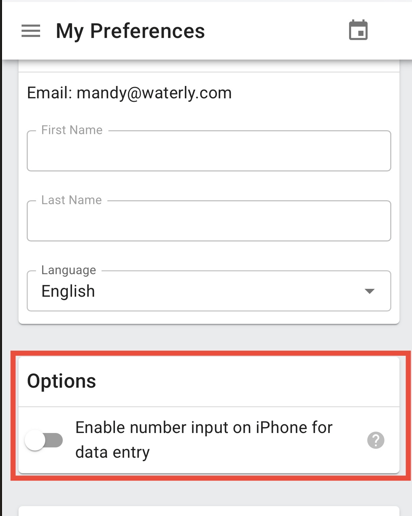
iPhone Number Pad
iPhones now have a number pad…but you have to turn it on to use it. READ MORE
Logbook
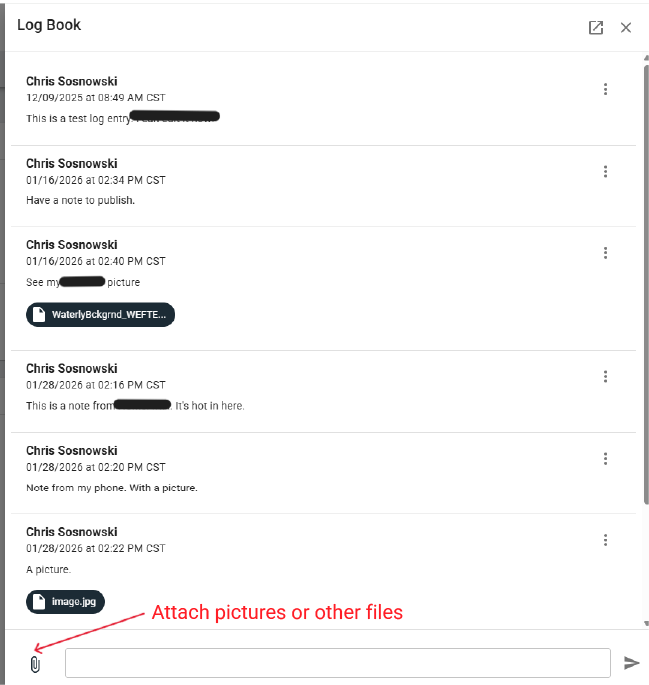
New feature that allows users in a system (or org) to collaborate with a really simple digital logbook for internal comments and process. Rolls up notes to a single view. READ MORE

New Navigation & Reports Coming in April
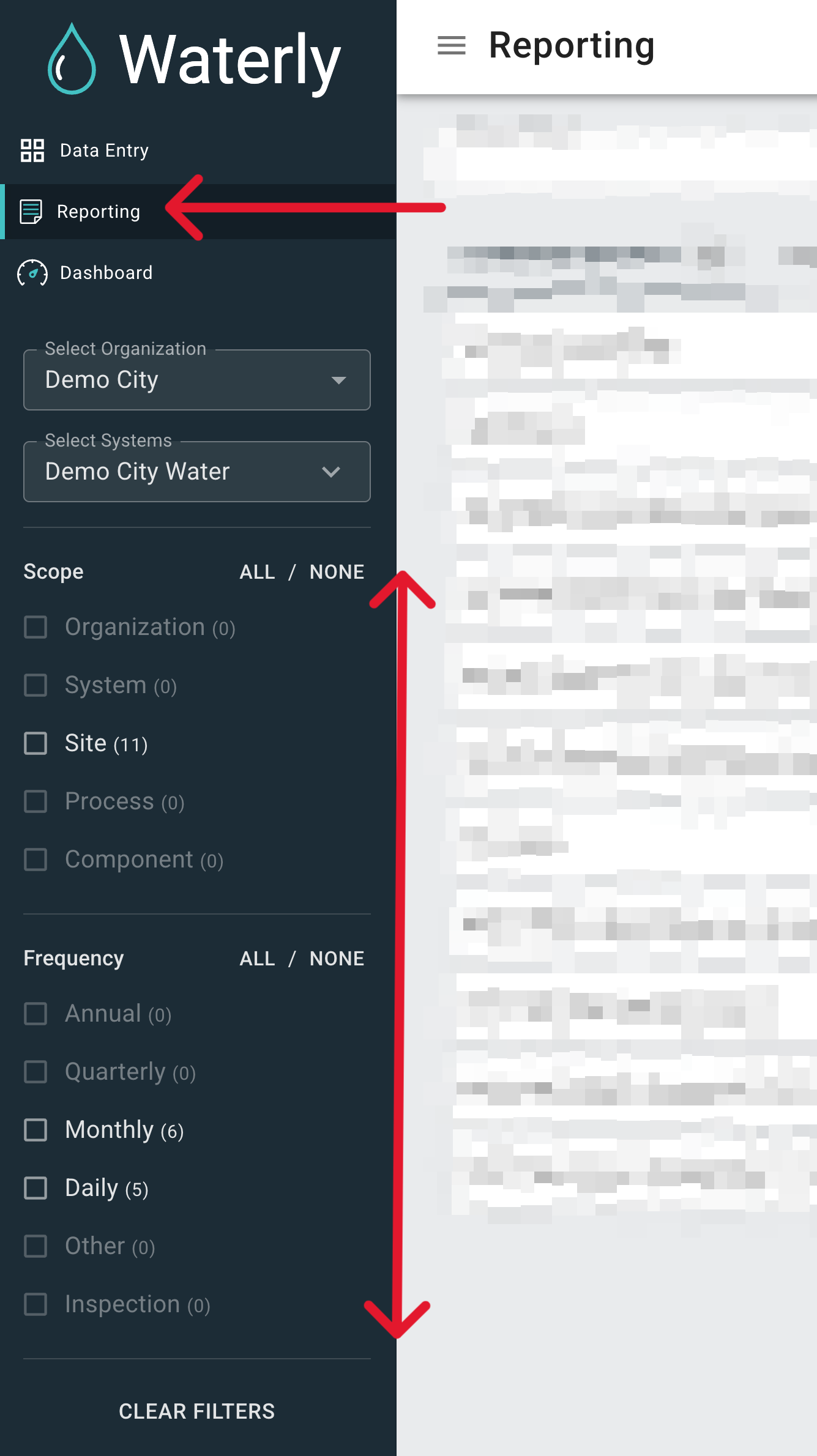
We are rolling out major changes that will allow you to have more powerful (can you say Annual and Quarterly!) reports. Really. Big. Deal.
📍GIS Integration with Asset & Facility Links – You can hover over any Facility or Asset dashboard, and grab a link to paste in GIS (or wherever).
💗OpWorks Customers – Upgrade your OpWorks Sheets Data Entry Experience for a discounted Rounds version. LEARN MORE
Managing samples Used to be Hard
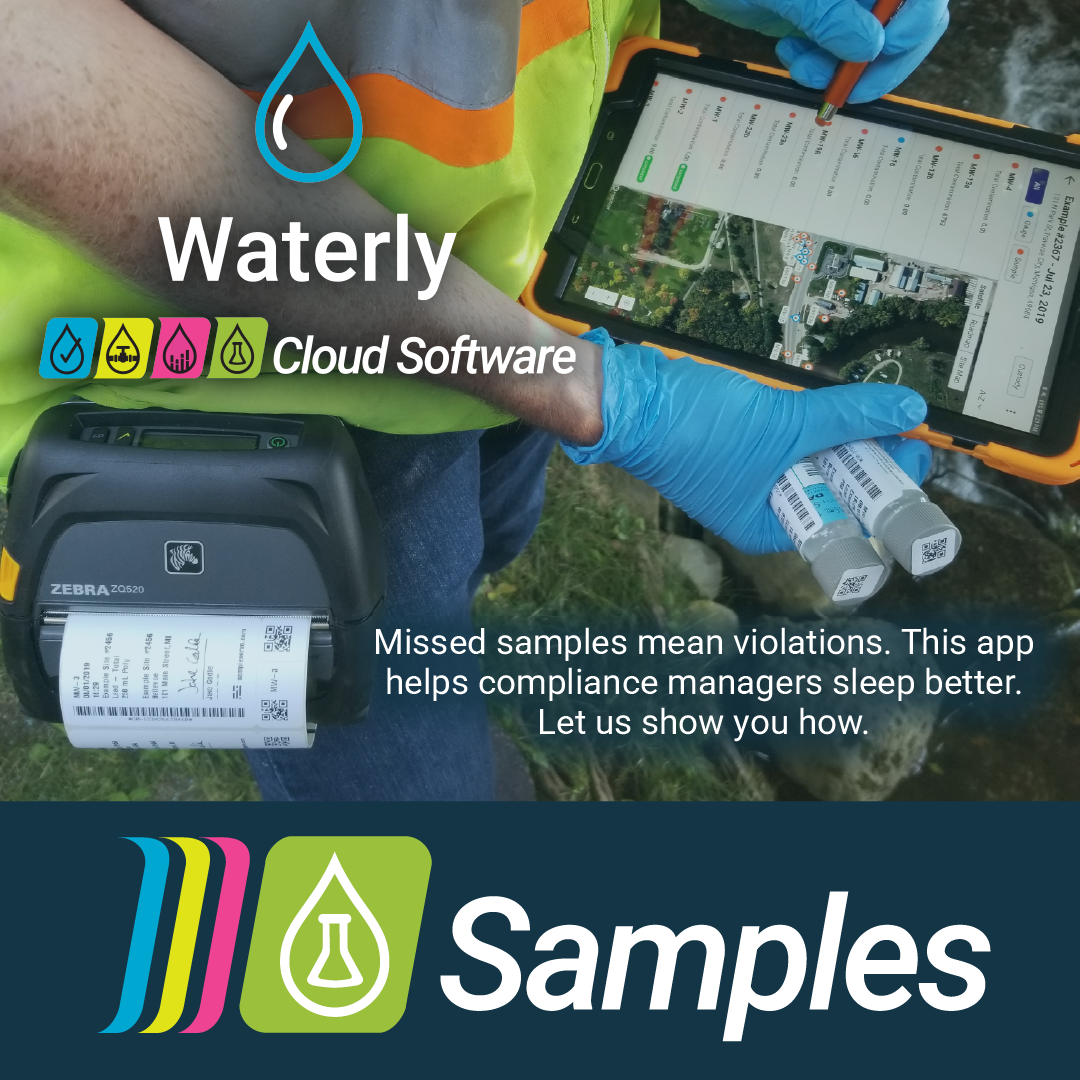
You all tell us that scheduling and collecting water samples is one of the biggest headaches and worries. Usually, this stress is managed by spreadsheets, PDFs, downloaded CSVs, and a whole lot of emails and texts. Not anymore. We can now tack this onto your Rounds subscription for a very reasonable discounted fee.
Join us for one of our upcoming live webinars to see Waterly Samples in action and qualify for our $100 Amazon Gift card drawing just by attending (must be present). The first 100 existing customers that add Samples to their Waterly subscription get 25% off.
Hang out with Waterly & LEARN - Monthly
Mark Your Calendar! - Monday, April 13 @ 1PM CDT

Now included in your Waterly subscription - A monthly, one-hour open learning session for anyone using Waterly apps, new users, long-time users, and everyone in between – you just must be an active user though. We will work through real Waterly questions together in a practical, low-pressure way. We’ll feature a willing customer’s setup each month. Come with questions or just listen in and learn how others are using the platform. JOIN HERE
If you’ve read this far, thank you. We are going to start a QOTM (question of the month) here where we ask you all a question and share responses (if they are clean) during the next Hangout (see ☝️). This month’s question: What part of your water workday feels harder than it should? Click to Answer
Question for the Waterly Crew
Water Conference of the West (CA)
Our Founder / CEO Chris, will be wandering the halls (boothless) of the Water Conference of the West in San Diego from 4/6 through 4/8. If you’re going, book a spot for a cup o Joe or another beverage with Chris.
Party in Peoria (IL)
Waterly will be representing in our home state of Illinois for the Illinois Section AWWA WaterCon. 4/14 – 4/16. Chris will be presenting “Prepping for the AI Eventuality,” we will be exhibiting, and our Business Manager, Mandy, will even be there, along with Luke Sharp, an excellent recent addition to our operations division. And we’ll be hosting food, drink, and putt-putt golf together with Gewalt Hamilton Associates and Midstates Associates (MSA). Registration Required for the event. Find us at the booth for a customers-only thank you. Check out Waterly Events.